
Ever wondered what's actually happening inside your computer when you're... Mostra di più
 Applied Technology1 visualizzazioni·Aggiornato May 24, 2026·5 pagine
Understanding the Key Parts of a Computer System
1 / 5
1
of 5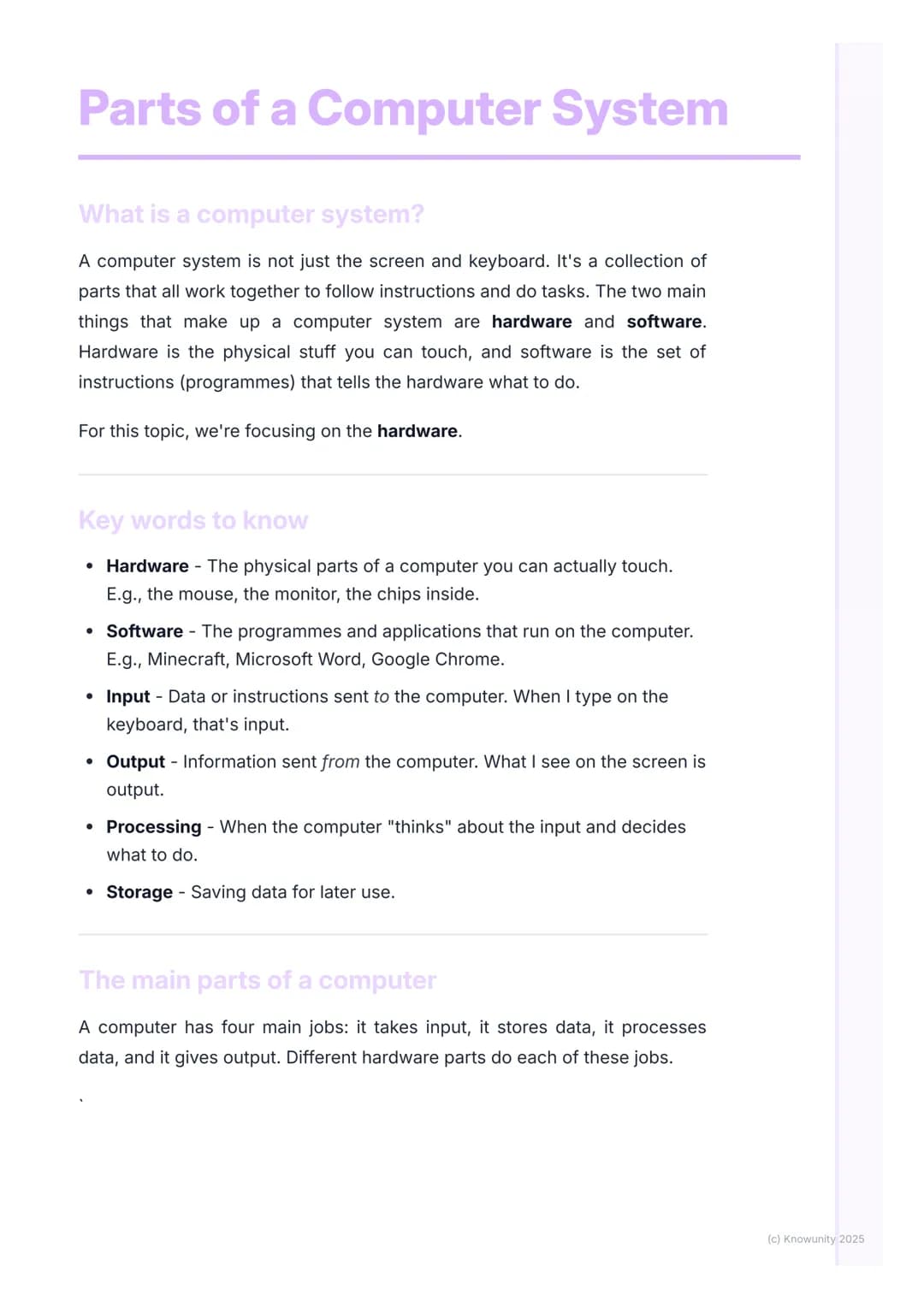
What Makes Up a Computer System?
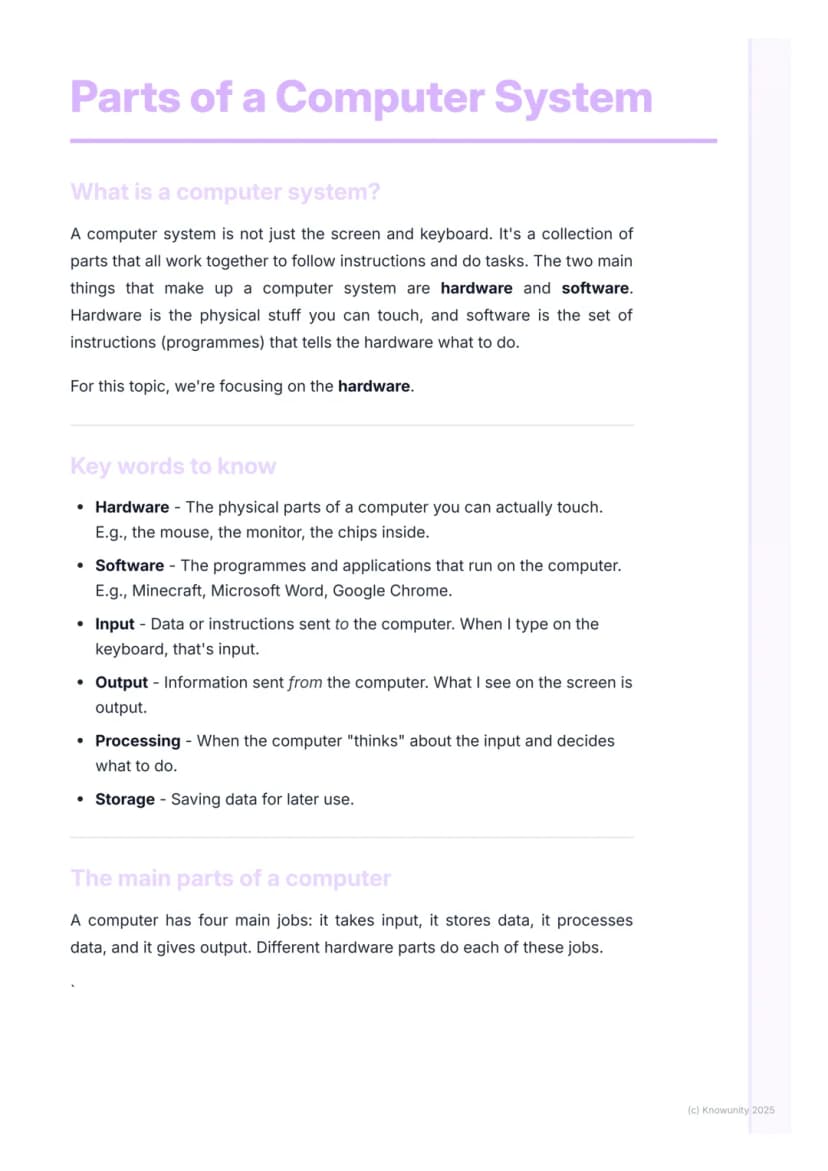
Think of your computer like a brilliant assistant that can only work when all its parts cooperate perfectly. Hardware refers to all the physical bits you can actually touch - your mouse, screen, and all the clever chips hidden inside the case. Software is the collection of programmes and apps that tell the hardware exactly what to do, like Minecraft, Word, or Chrome.
Every computer has four main jobs that keep it running smoothly. It takes in input (like when you type or click), processes that information (does the thinking), stores data safely, and produces output (shows you results on screen or through speakers).
Quick Tip: Remember that hardware is "hard" because you can touch it, whilst software is "soft" because it's just instructions you can't physically grab!
Understanding these basics will help you troubleshoot problems and make smarter choices about computers. You'll also ace any test questions about computer systems once you've got these fundamentals sorted.
2
of 5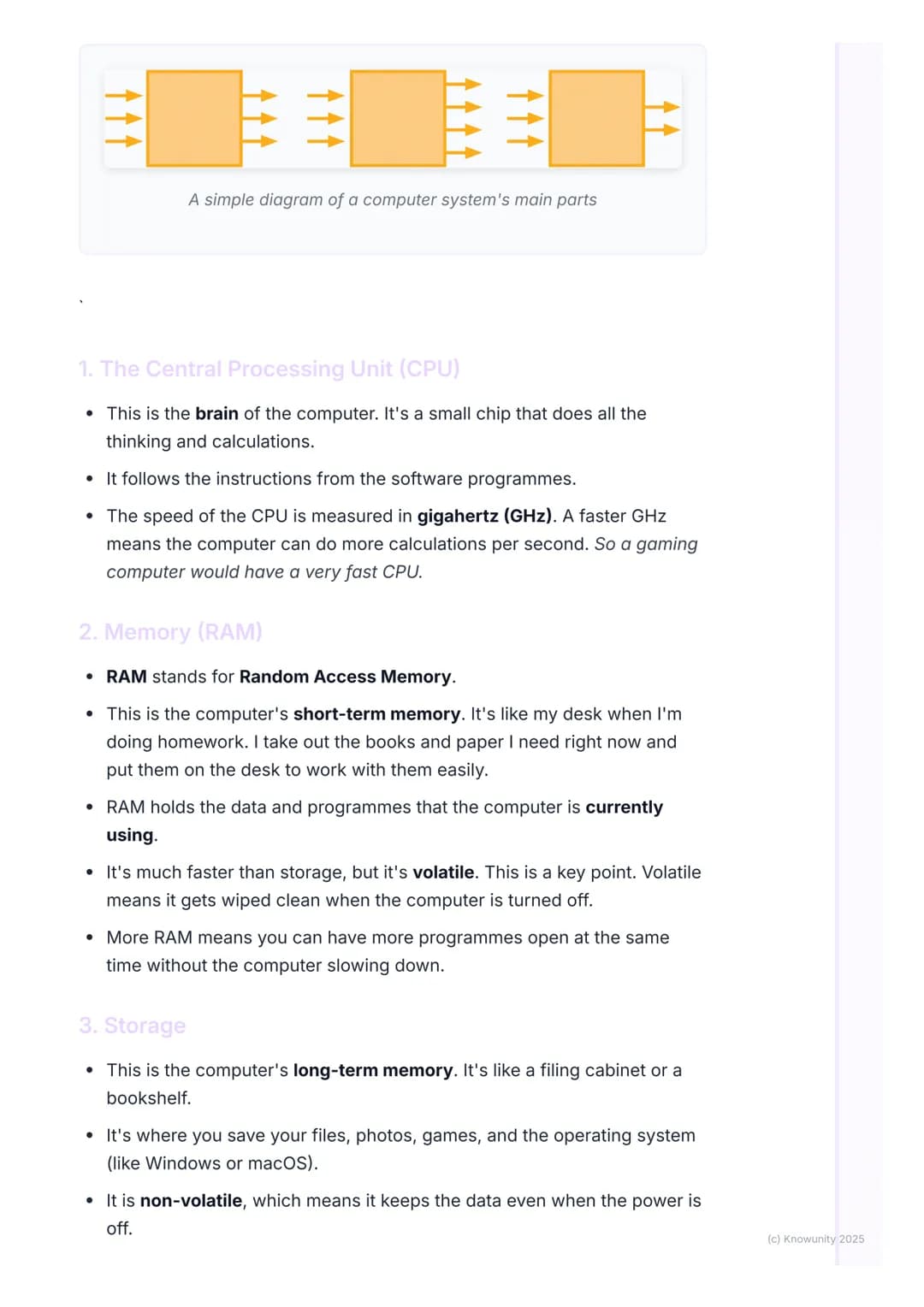
The CPU and Memory - Your Computer's Brain and Workspace
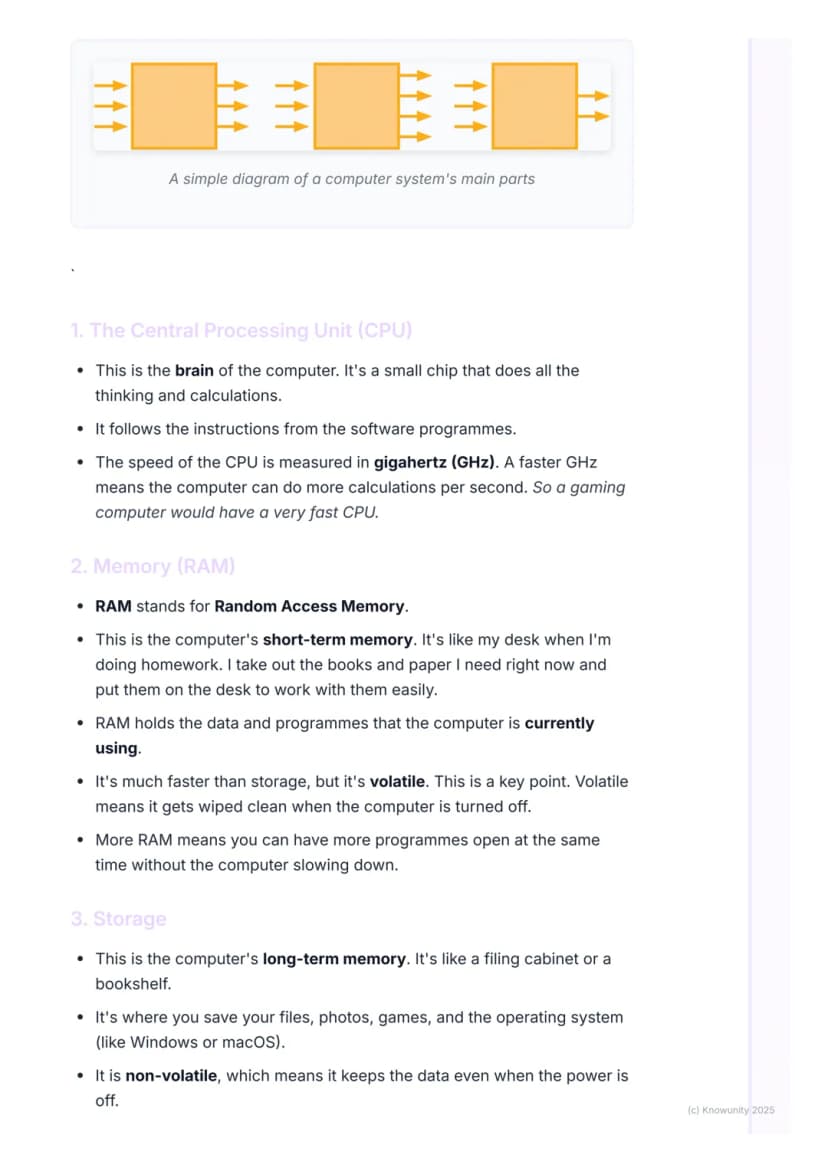
The Central Processing Unit (CPU) is literally the brain of your computer - a tiny but incredibly powerful chip that handles all the thinking and calculations. It follows every single instruction from your software programmes, and its speed gets measured in gigahertz (GHz). Higher GHz means more calculations per second, which explains why gaming computers need seriously fast CPUs.
Memory (RAM) works like your desk when you're doing homework. Just as you spread out the books and papers you're currently using across your desk for easy access, RAM holds the data and programmes your computer needs right now. This makes everything run much faster than constantly digging through storage.
Here's the crucial bit: RAM is volatile, meaning it gets completely wiped clean when you turn off your computer. It's lightning-fast but temporary. More RAM lets you run multiple programmes simultaneously without your computer grinding to a halt.
Memory Trick: RAM is like your desk - fast access to current work, but everything disappears when you "close up shop" for the day!
3
of 5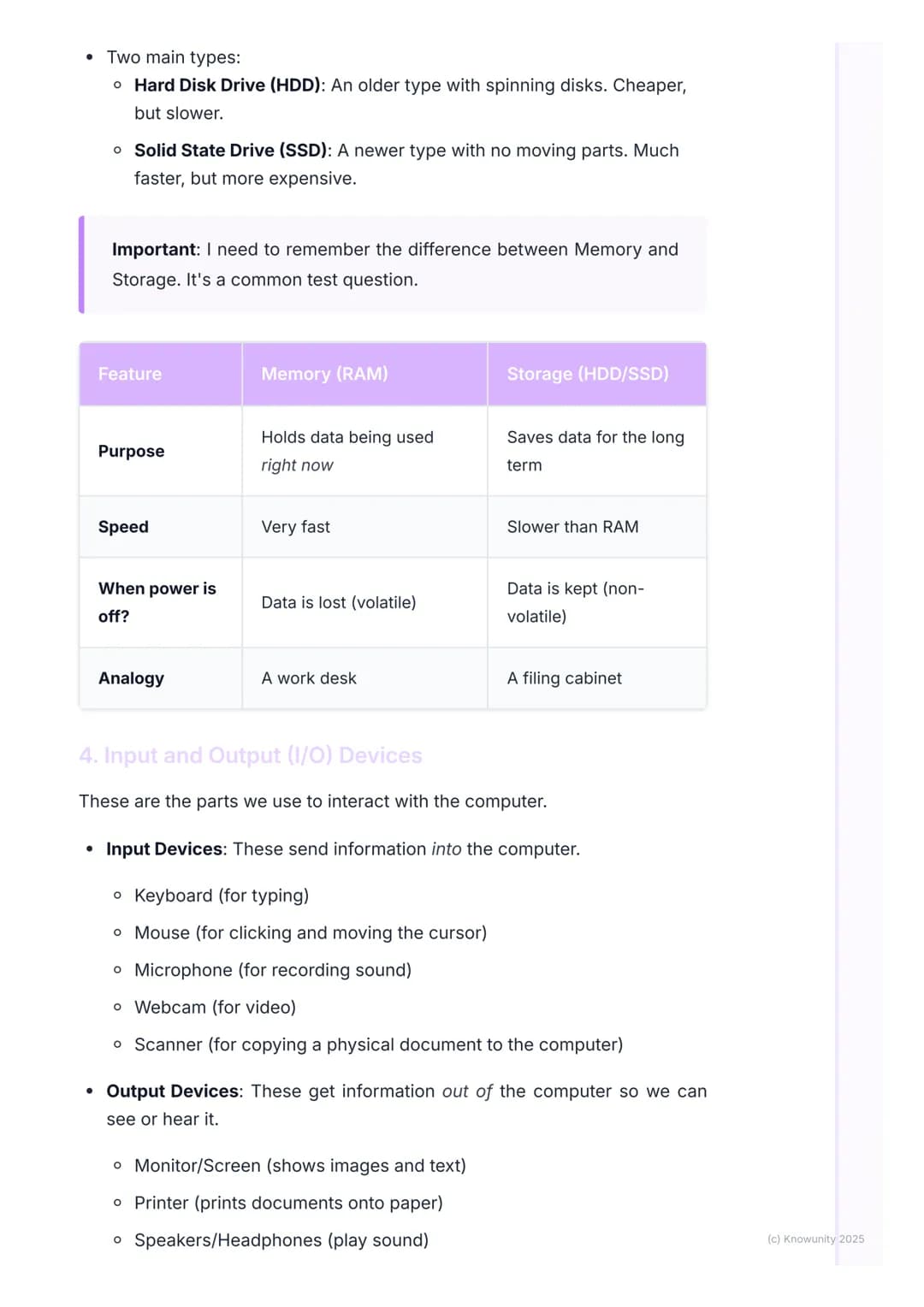
Storage - Your Computer's Filing Cabinet
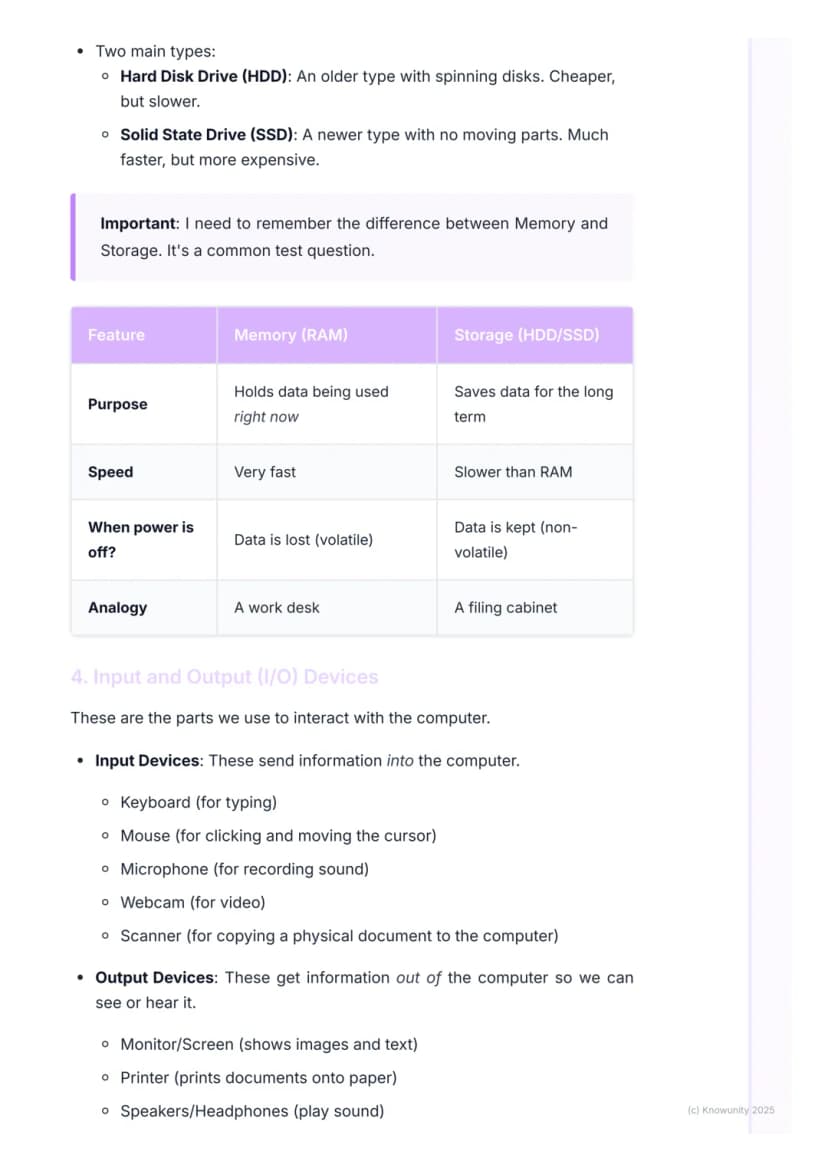
Storage acts as your computer's long-term memory, like a massive filing cabinet that keeps everything safe and organised. Unlike RAM, storage is non-volatile, which means your files, photos, games, and operating system stay put even when the power's off.
You'll encounter two main types of storage drives. Hard Disk Drives (HDDs) are the older option with spinning disks inside - they're cheaper but slower. Solid State Drives (SSDs) represent newer technology with no moving parts, making them much faster but pricier.
| Feature | Memory (RAM) | Storage (HDD/SSD) |
|---|---|---|
| Purpose | Current work | Long-term saving |
| Speed | Very fast | Slower than RAM |
| When power's off | Data vanishes | Data stays safe |
The key difference to remember: Memory is your temporary workspace (volatile), whilst Storage is your permanent filing system . This distinction appears frequently in test questions.
Test Alert: Remember that volatile means "vanishes" - RAM vanishes when power goes off, but storage stays safe!
4
of 5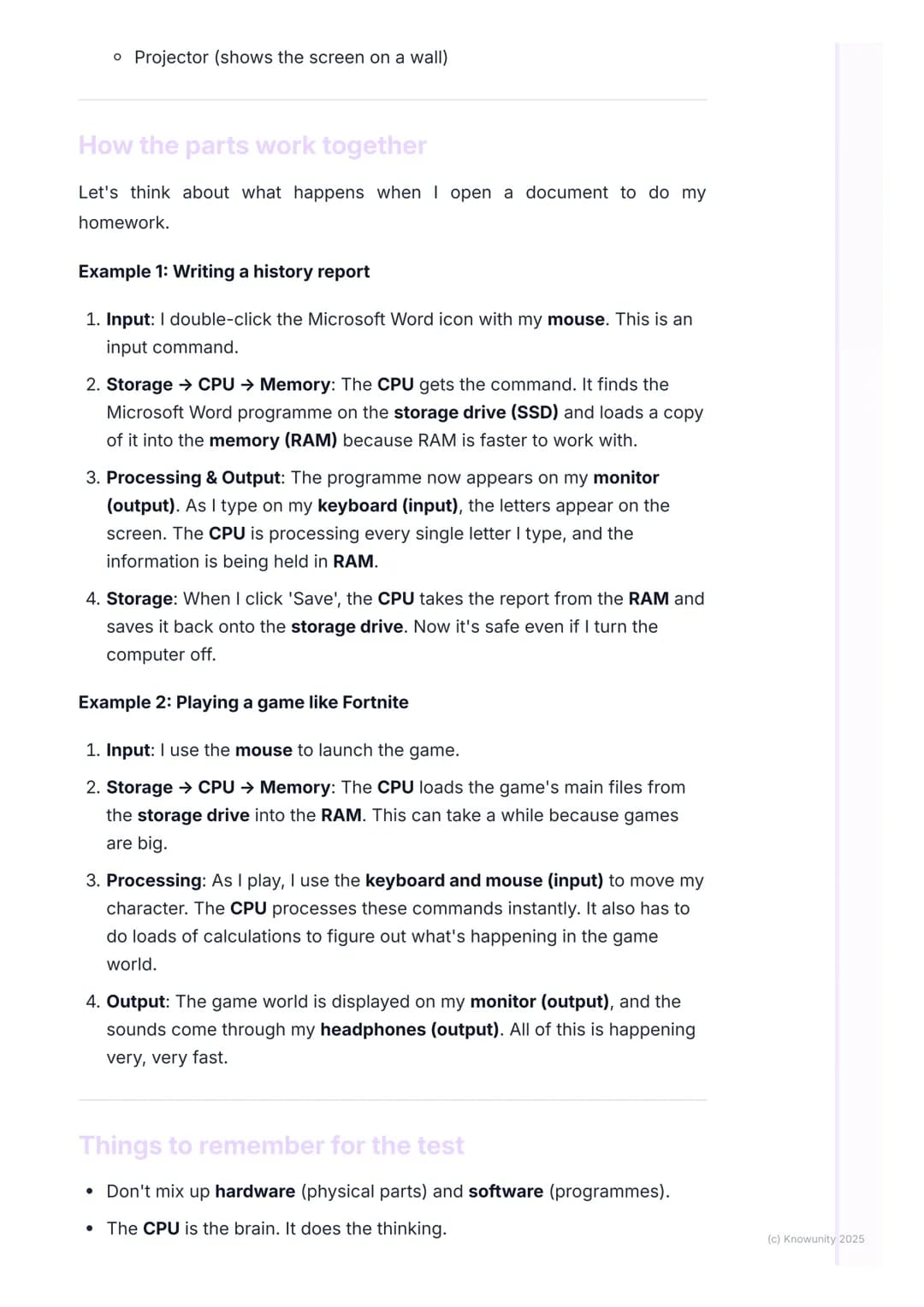
Input and Output Devices - How You Connect
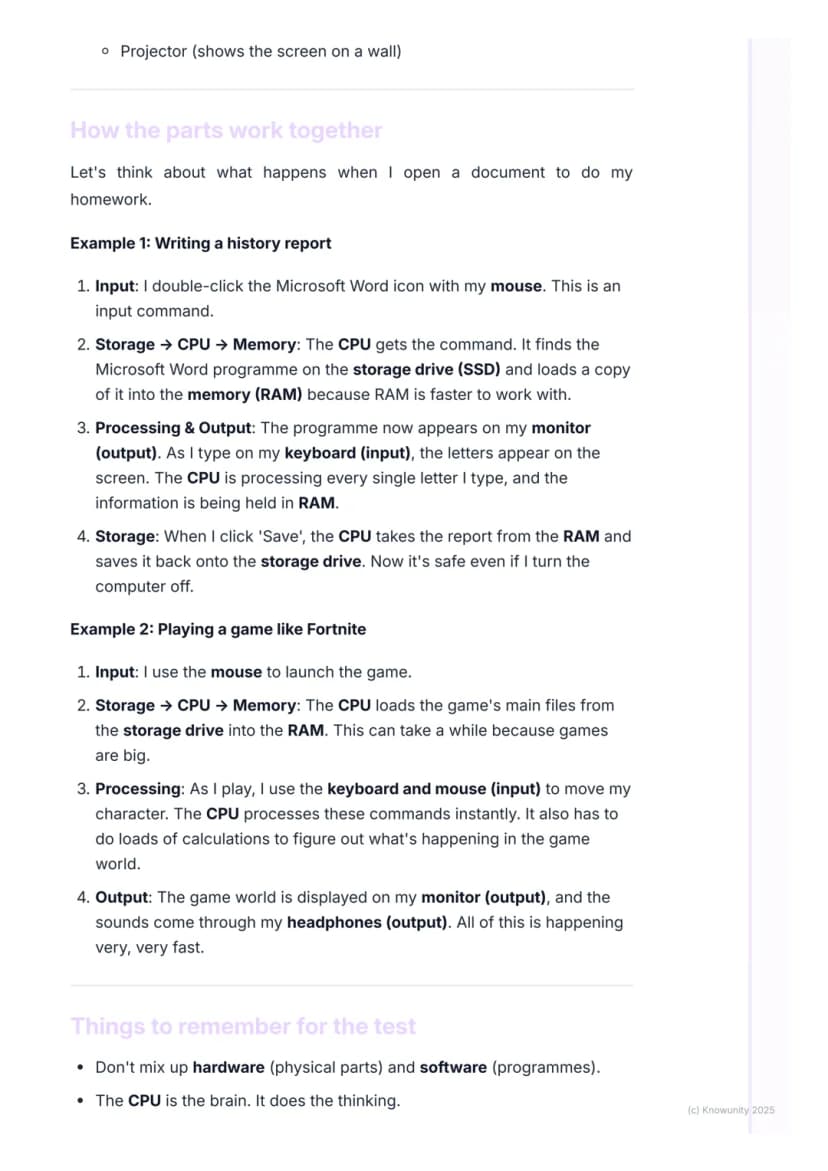
Input devices send information into your computer, letting you communicate your intentions clearly. Your keyboard handles typing, your mouse manages clicking and cursor movement, and devices like microphones, webcams, and scanners capture sound, video, and images respectively.
Output devices work in reverse, getting information from your computer so you can see, hear, or physically use the results. Your monitor displays everything visually, printers create physical documents, speakers and headphones deliver audio, and projectors can share your screen with larger audiences.
Think about writing a history report: you double-click Word with your mouse (input), the programme loads into RAM, appears on your monitor (output), and as you type (input), letters appear on screen (output). When you save, everything moves from temporary RAM to permanent storage.
Gaming provides an even more exciting example. After loading a game like Fortnite from storage into RAM, your keyboard and mouse inputs get processed instantly by the CPU, which calculates game world changes and displays results on your monitor whilst playing sounds through headphones.
Real-World Tip: Every time you interact with your computer, you're using input devices to send commands and output devices to see the results!
5
of 5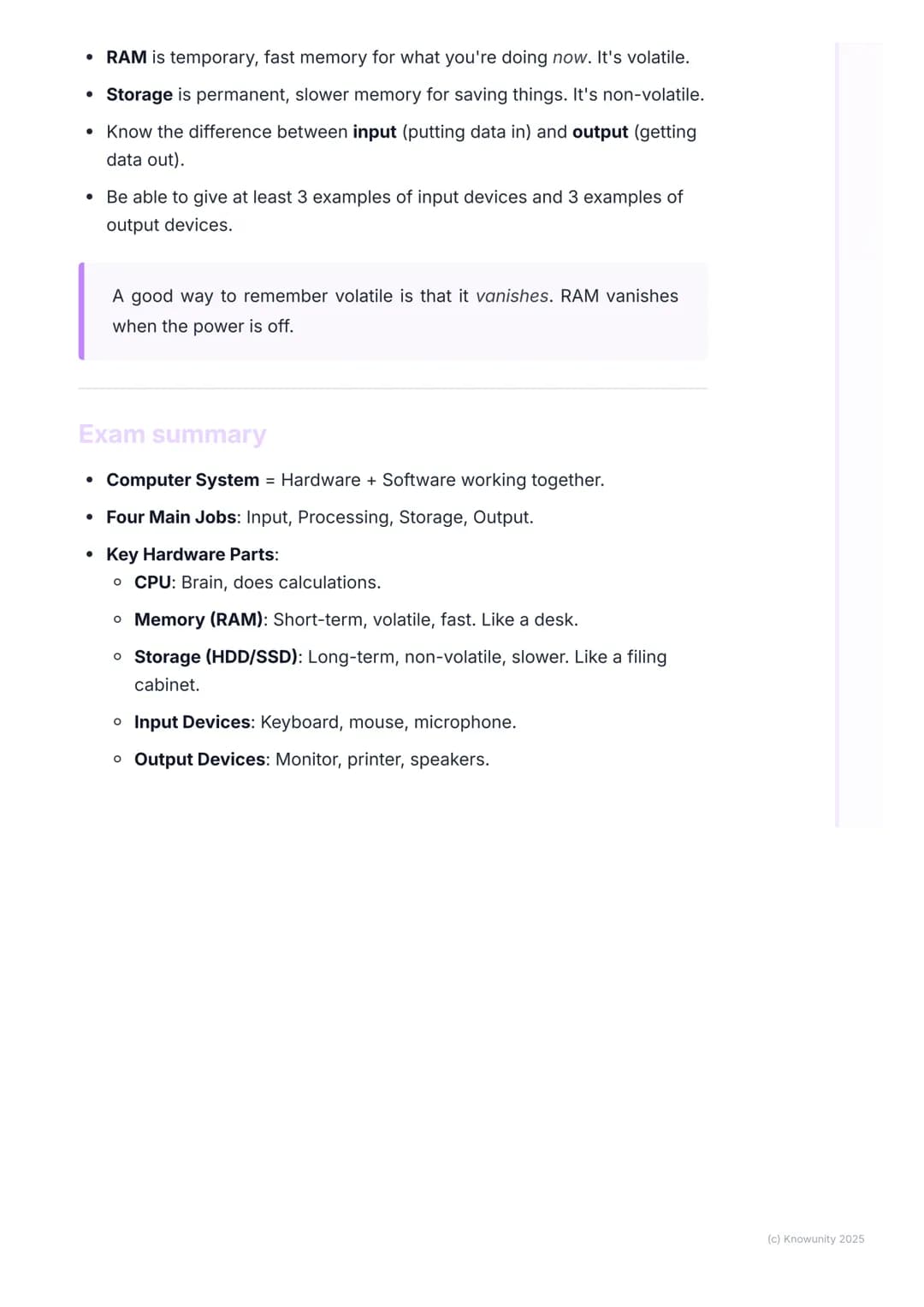
Putting It All Together - Test Success
Now you understand how computer systems combine hardware and software to handle four essential jobs: input, processing, storage, and output. Each component plays a specific role in this digital orchestra.
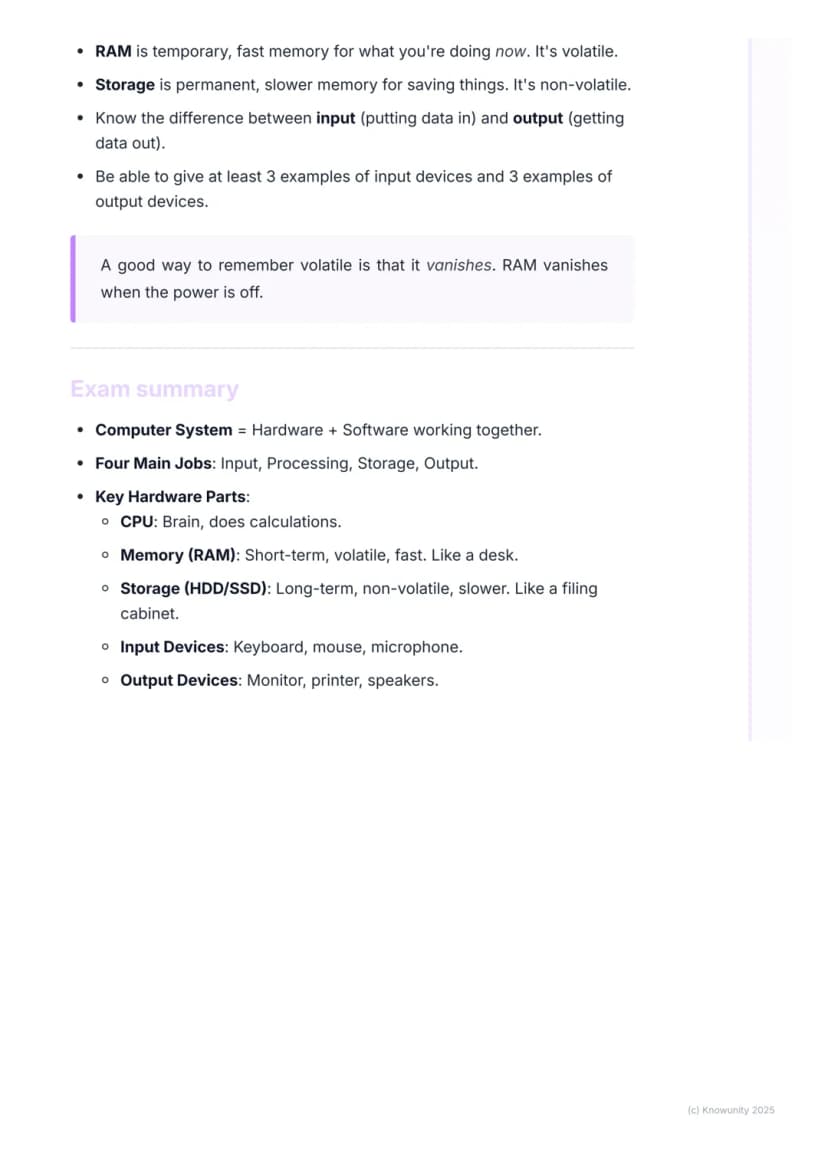
Remember the key players: the CPU serves as the brain doing all calculations, RAM provides fast temporary workspace (volatile), and storage drives offer permanent file keeping . Input devices like keyboards and mice send data in, whilst output devices like monitors and speakers present results.
For exam success, focus on these distinctions: hardware vs software, volatile vs non-volatile memory, and input vs output devices. Practice explaining how these parts work together using real examples like opening documents or playing games.
Exam Strategy: Use the desk (RAM) and filing cabinet (storage) analogy to explain memory vs storage - it's a guaranteed mark-grabber!
The beauty of understanding computer systems lies in recognising how elegantly all these components cooperate. Once you've mastered these fundamentals, you'll find troubleshooting problems and making tech decisions much easier.
Pensavamo che non l'avreste mai chiesto....
Che cos'è l'assistente AI di Knowunity?
Il nostro assistente AI è costruito specificamente per le esigenze degli studenti. Sulla base dei milioni di contenuti presenti sulla piattaforma, possiamo fornire agli studenti risposte davvero significative e pertinenti. Ma non si tratta solo di risposte, l'assistente è in grado di guidare gli studenti attraverso le loro sfide quotidiane di studio, con piani di studio personalizzati, quiz o contenuti nella chat e una personalizzazione al 100% basata sulle competenze e sugli sviluppi degli studenti.
Dove posso scaricare l'applicazione Knowunity?
È possibile scaricare l'applicazione dal Google Play Store e dall'Apple App Store.
Knowunity è davvero gratuita?
Sì, hai accesso completamente gratuito a tutti i contenuti nell'app e puoi chattare o seguire i Creatori in qualsiasi momento. Sbloccherai nuove funzioni crescendo il tuo numero di follower. Inoltre, offriamo Knowunity Premium, che consente di studiare senza alcun limite!!
Contenuti più popolari
9 Irish
IrishIrish oral questions and answers
Questions and answers for the leaving cert oral
5th Year4254
IrishIrish oral questions
Outline of oral questions
5th Year2055
 English
Key Quotes : Sive
Key Quotes and explanations: Sive
6th Year2822
IrishIníon- le hÁine Durkin
Aine Durkin’s poem, Iníon: Themes & summary
5th Year850
IrishIrish poetry 2027
Iníon + Dínit an Bhróin
5th Year1133
IrishLC HL notes- Iníon (poem)
Includes poem in English and Irish, theme, key words & phrases
5th Year2284
IrishGaeilge Grammar Office
All the basics you need to know on Irish grammar.
6th Year1013
EnglishCultural Context : Shawshank Redemption : Sive : Small Things Like These
Comparative Study : Cultural Context : Shawshank Redemption, Sive and Small Things Like These
6th Year1420
IrishAn Gaeilge Aiste
Irish Language essay
6th Year1310
Non c'è niente di adatto? Esplorare altre aree tematiche.
Recensioni dei nostri utenti. Ci adorano - e anche tu, vedrai .
4.6/5App Store
4.7/5Google Play
L'applicazione è molto facile da usare e ben progettata. Finora ho trovato tutto quello che cercavo e ho potuto imparare molto dalle presentazioni! Utilizzerò sicuramente l'app per i compiti in classe! È molto utile anche come fonte di ispirazione.
Stefano Sutente iOS
Questa applicazione è davvero grande! Ci sono tantissimi appunti e aiuti con lo studio [...]. La mia materia problematica, per esempio, è il francese e l'app ha così tante opzioni per aiutarmi. Grazie a questa app ho migliorato il mio francese. La consiglio a tutti.
Samantha Klichutente Android
Wow, sono davvero stupita. Ho appena provato l'app perché l'ho vista pubblicizzata molte volte e sono rimasta assolutamente sbalordita. Questa app è L'AIUTO che cercate per la scuola e soprattutto offre tantissime cose, come allenamenti e schede, che a me personalmente sono state MOLTO utili.
Annautente iOS
Applied Technology1 visualizzazioni·Aggiornato May 24, 2026·5 pagineUnderstanding the Key Parts of a Computer System
Ever wondered what's actually happening inside your computer when you're playing games or doing homework? A computer system is way more than just a screen and keyboard - it's a collection of physical parts (hardware) and programmes (software) that work... Mostra di più
1
of 5Iscriviti per mostrare il contenuto. È gratis!
- Accesso a tutti i documenti
- Migliora i tuoi voti
- Unisciti a milioni di studenti
What Makes Up a Computer System?
Think of your computer like a brilliant assistant that can only work when all its parts cooperate perfectly. Hardware refers to all the physical bits you can actually touch - your mouse, screen, and all the clever chips hidden inside the case. Software is the collection of programmes and apps that tell the hardware exactly what to do, like Minecraft, Word, or Chrome.
Every computer has four main jobs that keep it running smoothly. It takes in input (like when you type or click), processes that information (does the thinking), stores data safely, and produces output (shows you results on screen or through speakers).
Quick Tip: Remember that hardware is "hard" because you can touch it, whilst software is "soft" because it's just instructions you can't physically grab!
Understanding these basics will help you troubleshoot problems and make smarter choices about computers. You'll also ace any test questions about computer systems once you've got these fundamentals sorted.
2
of 5Iscriviti per mostrare il contenuto. È gratis!
- Accesso a tutti i documenti
- Migliora i tuoi voti
- Unisciti a milioni di studenti
The CPU and Memory - Your Computer's Brain and Workspace
The Central Processing Unit (CPU) is literally the brain of your computer - a tiny but incredibly powerful chip that handles all the thinking and calculations. It follows every single instruction from your software programmes, and its speed gets measured in gigahertz (GHz). Higher GHz means more calculations per second, which explains why gaming computers need seriously fast CPUs.
Memory (RAM) works like your desk when you're doing homework. Just as you spread out the books and papers you're currently using across your desk for easy access, RAM holds the data and programmes your computer needs right now. This makes everything run much faster than constantly digging through storage.
Here's the crucial bit: RAM is volatile, meaning it gets completely wiped clean when you turn off your computer. It's lightning-fast but temporary. More RAM lets you run multiple programmes simultaneously without your computer grinding to a halt.
Memory Trick: RAM is like your desk - fast access to current work, but everything disappears when you "close up shop" for the day!
3
of 5Iscriviti per mostrare il contenuto. È gratis!
- Accesso a tutti i documenti
- Migliora i tuoi voti
- Unisciti a milioni di studenti
Storage - Your Computer's Filing Cabinet
Storage acts as your computer's long-term memory, like a massive filing cabinet that keeps everything safe and organised. Unlike RAM, storage is non-volatile, which means your files, photos, games, and operating system stay put even when the power's off.
You'll encounter two main types of storage drives. Hard Disk Drives (HDDs) are the older option with spinning disks inside - they're cheaper but slower. Solid State Drives (SSDs) represent newer technology with no moving parts, making them much faster but pricier.
| Feature | Memory (RAM) | Storage (HDD/SSD) |
|---|---|---|
| Purpose | Current work | Long-term saving |
| Speed | Very fast | Slower than RAM |
| When power's off | Data vanishes | Data stays safe |
The key difference to remember: Memory is your temporary workspace (volatile), whilst Storage is your permanent filing system . This distinction appears frequently in test questions.
Test Alert: Remember that volatile means "vanishes" - RAM vanishes when power goes off, but storage stays safe!
4
of 5Iscriviti per mostrare il contenuto. È gratis!
- Accesso a tutti i documenti
- Migliora i tuoi voti
- Unisciti a milioni di studenti
Input and Output Devices - How You Connect
Input devices send information into your computer, letting you communicate your intentions clearly. Your keyboard handles typing, your mouse manages clicking and cursor movement, and devices like microphones, webcams, and scanners capture sound, video, and images respectively.
Output devices work in reverse, getting information from your computer so you can see, hear, or physically use the results. Your monitor displays everything visually, printers create physical documents, speakers and headphones deliver audio, and projectors can share your screen with larger audiences.
Think about writing a history report: you double-click Word with your mouse (input), the programme loads into RAM, appears on your monitor (output), and as you type (input), letters appear on screen (output). When you save, everything moves from temporary RAM to permanent storage.
Gaming provides an even more exciting example. After loading a game like Fortnite from storage into RAM, your keyboard and mouse inputs get processed instantly by the CPU, which calculates game world changes and displays results on your monitor whilst playing sounds through headphones.
Real-World Tip: Every time you interact with your computer, you're using input devices to send commands and output devices to see the results!
5
of 5Iscriviti per mostrare il contenuto. È gratis!
- Accesso a tutti i documenti
- Migliora i tuoi voti
- Unisciti a milioni di studenti
Putting It All Together - Test Success
Now you understand how computer systems combine hardware and software to handle four essential jobs: input, processing, storage, and output. Each component plays a specific role in this digital orchestra.
Remember the key players: the CPU serves as the brain doing all calculations, RAM provides fast temporary workspace (volatile), and storage drives offer permanent file keeping . Input devices like keyboards and mice send data in, whilst output devices like monitors and speakers present results.
For exam success, focus on these distinctions: hardware vs software, volatile vs non-volatile memory, and input vs output devices. Practice explaining how these parts work together using real examples like opening documents or playing games.
Exam Strategy: Use the desk (RAM) and filing cabinet (storage) analogy to explain memory vs storage - it's a guaranteed mark-grabber!
The beauty of understanding computer systems lies in recognising how elegantly all these components cooperate. Once you've mastered these fundamentals, you'll find troubleshooting problems and making tech decisions much easier.
Pensavamo che non l'avreste mai chiesto....
Che cos'è l'assistente AI di Knowunity?
Il nostro assistente AI è costruito specificamente per le esigenze degli studenti. Sulla base dei milioni di contenuti presenti sulla piattaforma, possiamo fornire agli studenti risposte davvero significative e pertinenti. Ma non si tratta solo di risposte, l'assistente è in grado di guidare gli studenti attraverso le loro sfide quotidiane di studio, con piani di studio personalizzati, quiz o contenuti nella chat e una personalizzazione al 100% basata sulle competenze e sugli sviluppi degli studenti.
Dove posso scaricare l'applicazione Knowunity?
È possibile scaricare l'applicazione dal Google Play Store e dall'Apple App Store.
Knowunity è davvero gratuita?
Sì, hai accesso completamente gratuito a tutti i contenuti nell'app e puoi chattare o seguire i Creatori in qualsiasi momento. Sbloccherai nuove funzioni crescendo il tuo numero di follower. Inoltre, offriamo Knowunity Premium, che consente di studiare senza alcun limite!!
Contenuti più popolari
9IrishIrish oral questions and answers
Questions and answers for the leaving cert oral
5th Year4254
IrishIrish oral questions
Outline of oral questions
5th Year2055
EnglishKey Quotes : Sive
Key Quotes and explanations: Sive
6th Year2822
IrishIníon- le hÁine Durkin
Aine Durkin’s poem, Iníon: Themes & summary
5th Year850
IrishIrish poetry 2027
Iníon + Dínit an Bhróin
5th Year1133
IrishLC HL notes- Iníon (poem)
Includes poem in English and Irish, theme, key words & phrases
5th Year2284
IrishGaeilge Grammar Office
All the basics you need to know on Irish grammar.
6th Year1013
EnglishCultural Context : Shawshank Redemption : Sive : Small Things Like These
Comparative Study : Cultural Context : Shawshank Redemption, Sive and Small Things Like These
6th Year1420
IrishAn Gaeilge Aiste
Irish Language essay
6th Year1310
Non c'è niente di adatto? Esplorare altre aree tematiche.
Recensioni dei nostri utenti. Ci adorano - e anche tu, vedrai .
4.6/5App Store
4.7/5Google Play
L'applicazione è molto facile da usare e ben progettata. Finora ho trovato tutto quello che cercavo e ho potuto imparare molto dalle presentazioni! Utilizzerò sicuramente l'app per i compiti in classe! È molto utile anche come fonte di ispirazione.
Stefano Sutente iOS
Questa applicazione è davvero grande! Ci sono tantissimi appunti e aiuti con lo studio [...]. La mia materia problematica, per esempio, è il francese e l'app ha così tante opzioni per aiutarmi. Grazie a questa app ho migliorato il mio francese. La consiglio a tutti.
Samantha Klichutente Android
Wow, sono davvero stupita. Ho appena provato l'app perché l'ho vista pubblicizzata molte volte e sono rimasta assolutamente sbalordita. Questa app è L'AIUTO che cercate per la scuola e soprattutto offre tantissime cose, come allenamenti e schede, che a me personalmente sono state MOLTO utili.
Annautente iOS